Login
Customer account
Welcome back, your business.
Your app setup, private access code, install allowance and support are all managed here.
Setup checklist
Ready-to-install steps
- Purchase confirmedDone
- Business detailsReady
- Logo and coloursReady
- Saved onlineConnected
Support
Need help?
Use the FAQ, setup guide or assistant without leaving the portal.
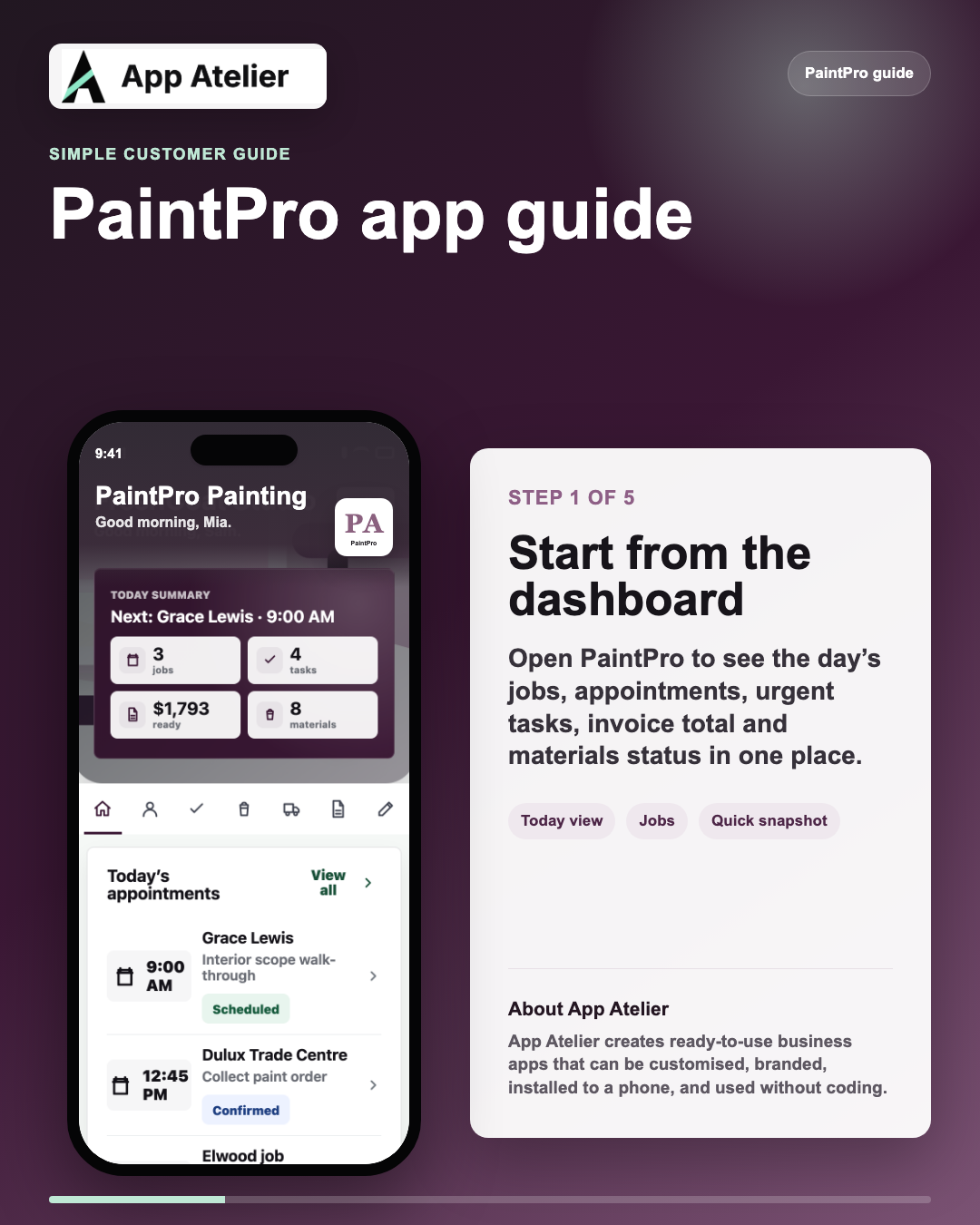
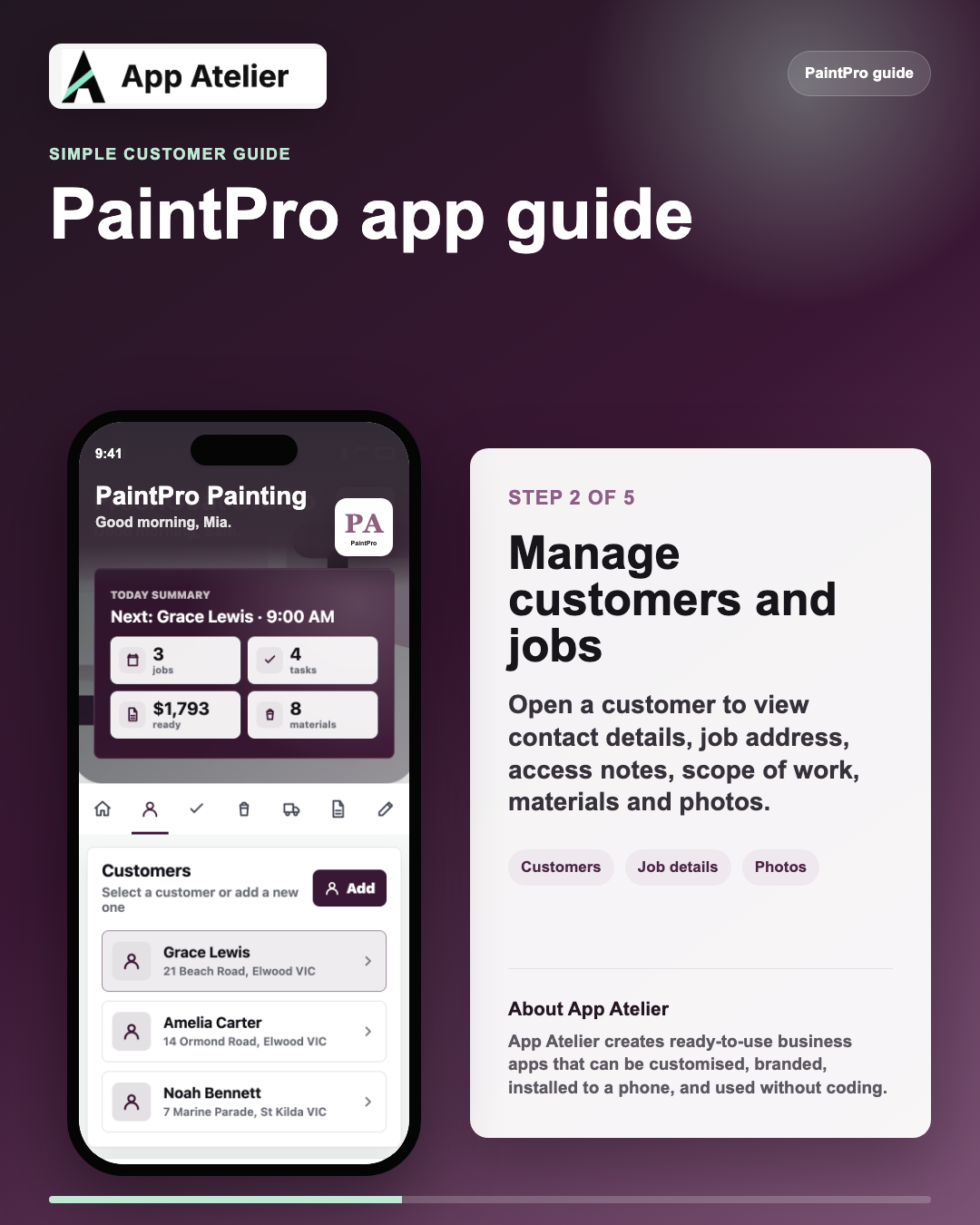
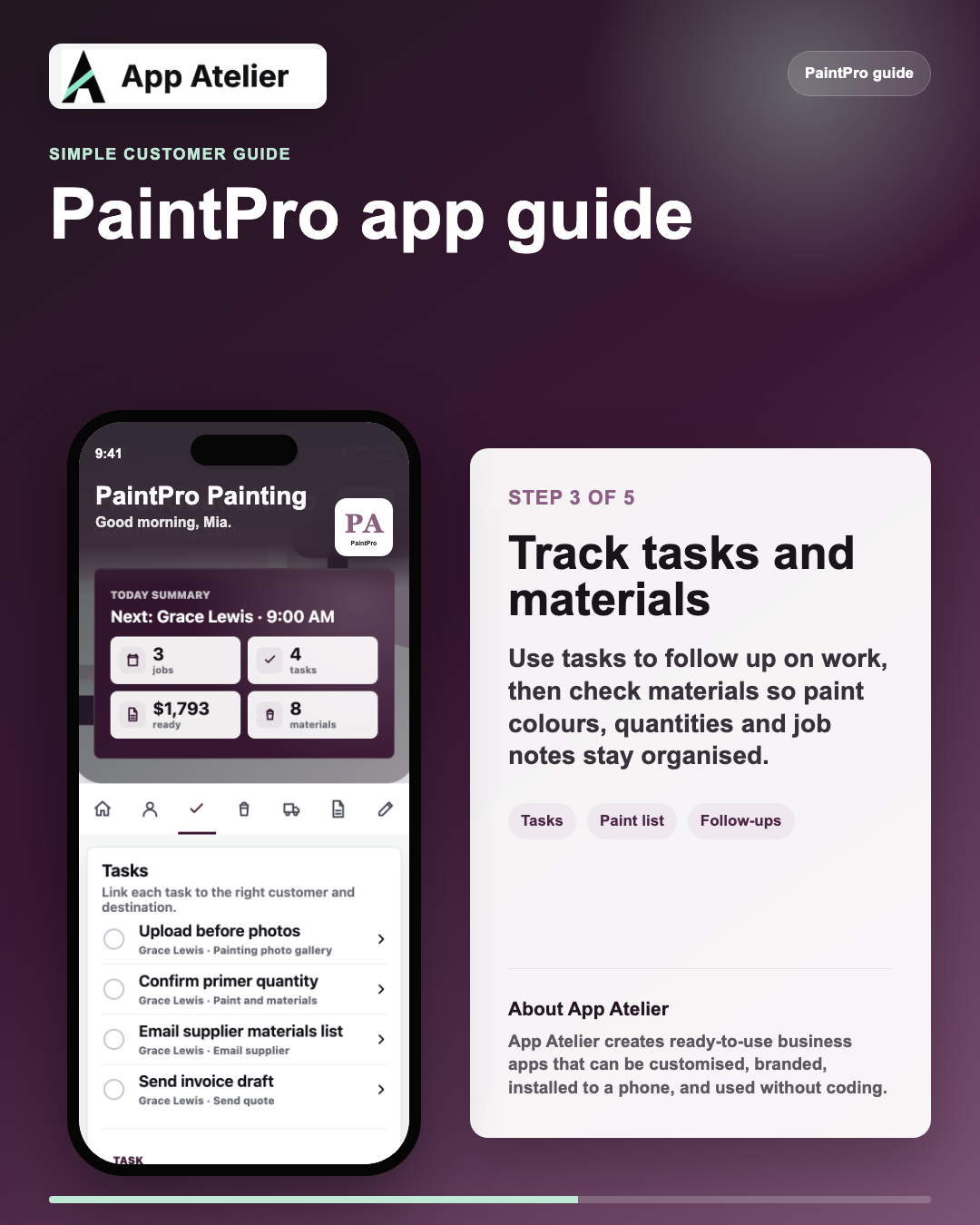
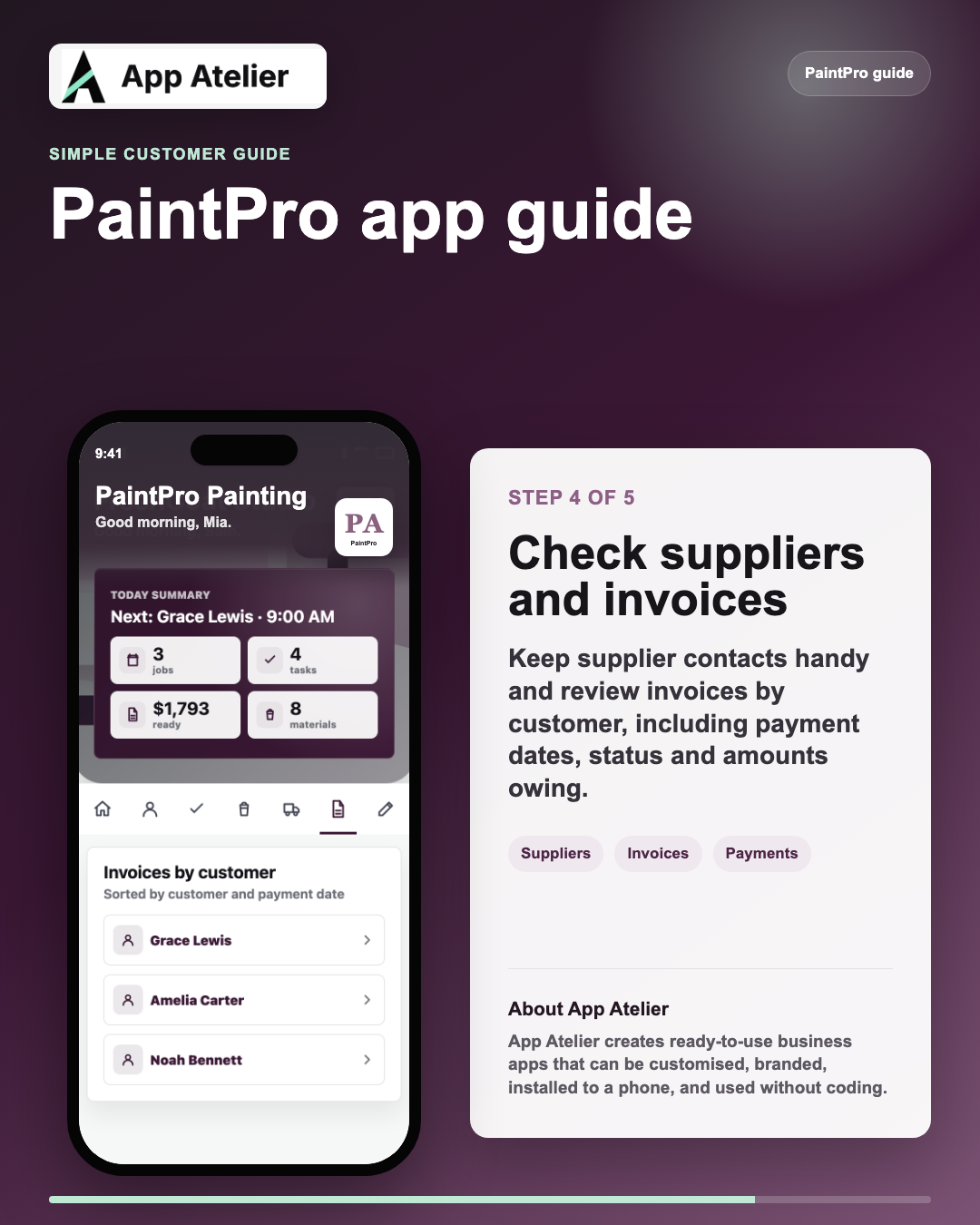
PaintPro guide
Start using your app.
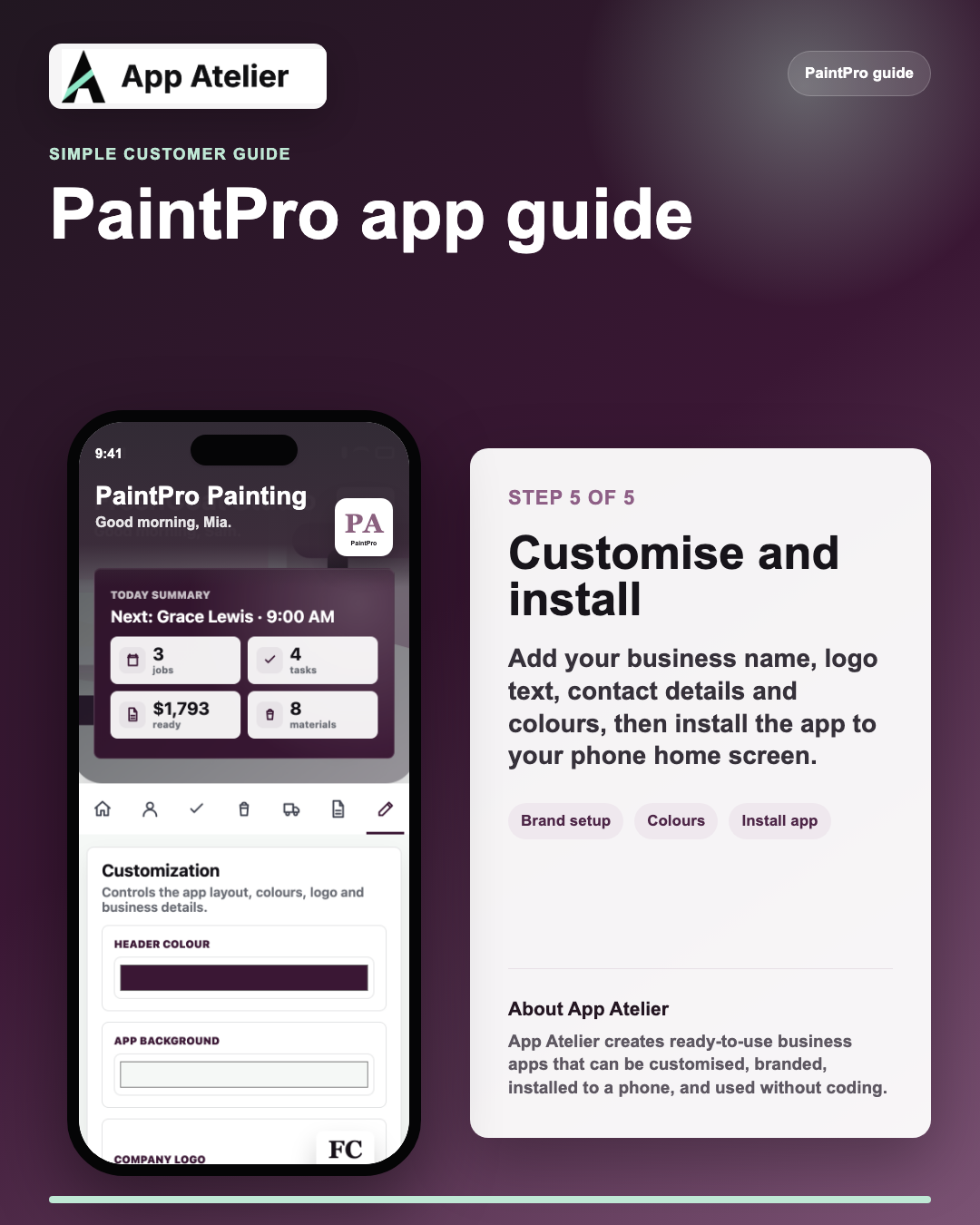
Swipe through the first five PaintPro steps, then customise or install your app when you are ready.
My apps
Apps linked to this login.
Your purchased app and install allowance stay connected to this private access code.
Customer portal setup
Business app setup
Update the details customers will see, preview the app, then move straight to install.
Ready to install
Install to phone
Open your app, then use your phone browser menu to add it to the home screen.
Your business details, app wording and visual style have been saved. Tap install to open the finished app.
On iPhone, Safari will ask you to confirm Add to Home Screen.Help centre
Support for your app setup.
Find quick answers for customisation, installation, billing and adding more team members.
FAQ See setup questions Install, editing, extra phones and private access.
How do I install the app?
Go to the Install section, tap Install app, then use your phone browser menu to add it to the home screen.
Can I update my business details later?
Yes. Open Customise, update the details, and save. The setup stays linked to your private access code.
How do I add another phone?
Use the same customer login and access code, then install again if your package still has available installs.
Can another company copy my app?
No. Each purchase has a unique access code and company workspace, so other buyers cannot edit your setup.
AI assistant
Ask for setup help.
This assistant helps customers understand installation, customisation, app access and support next steps.
Hi, how can I help with your app setup today?